The Transform Panel
While you have learnt how to draw shapes, draw links, and design mechanisms, there is still one more operation you can perform on everything. You can apply transformations via the use of the Transform Panel which alter your designs via rotation, translation, and stretching/shrinking.
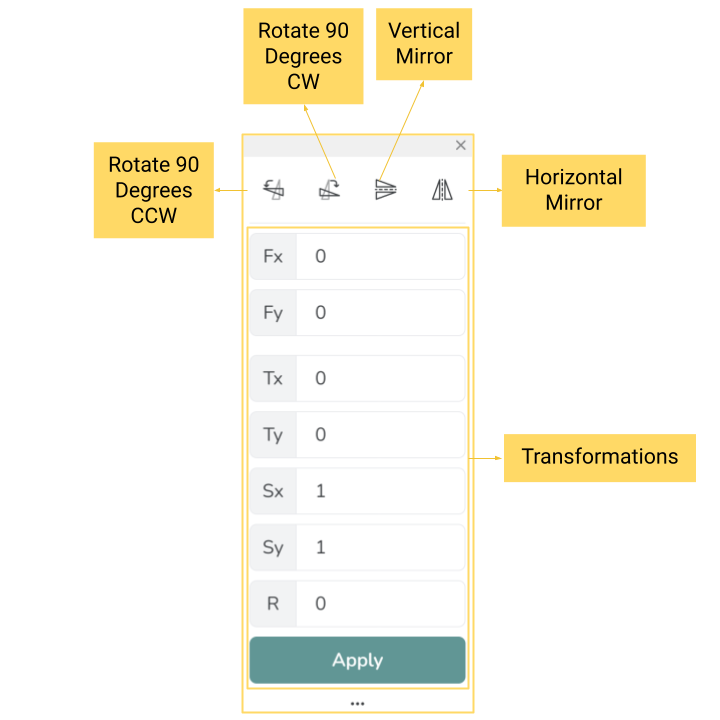
The Transform Panel
The Buttons
First, we see how the buttons perform their actions around the geometric center of the object.
Value Driven Transformations
You’ve seen the transformations the buttons can apply, but the values can have a wider effect on the object. More transformations are available such as translation and scaling like stretching/shrinking. It is important to note that all three transformations require you to define a reference frame via Fx and Fy.