Joint Graph
First create a crank-rocker mechanism as in Making Your First Mechanism. Then continue as below.
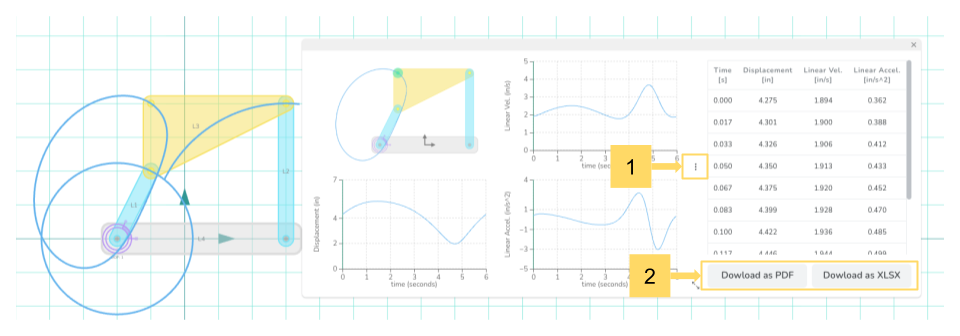
Open the Joint Graph panel and select the coupler point of interest. The joint graph highlights the selected joint and shows the displacement, velocity, and acceleration of that joint in linear units.
The Crank-Rocker Mechanism - Coupler Joint Graph: Click on the three dots on the right side to see the numerical data, which can be exported.